
How to Organize Your Photos in Lightroom Classic (and Find Any Photo in Less Than 20 Seconds)
By Serge Ramelli
I have seen people for many, many years having a lot of trouble organizing their photos. They are losing their photos, right, left, and center, all the time, and they have a hard time finding the photos. After using Lightroom for 15 years, I found a system that enables me to find any photo in less than 20 seconds. I'm not saying it's the best, but it works for me. Here is how it works in a few steps.
Step 1: Import and Back Up Your Photos Automatically
When I import photos, I always put them into a Dropbox folder so they get backed up in real time. This is an optional step. You don't have to pay for Dropbox. You can do it on an external SSD that you back up, but I find that very painful, and Dropbox does the backup for me. I do pay for an unlimited amount of Dropbox storage because I also have tons of YouTube videos, but you don't have to. You should be able to get years of photography with just a basic subscription. Again, this step is optional, but it's kind of cool to have everything backed up in real time as I import my photos.
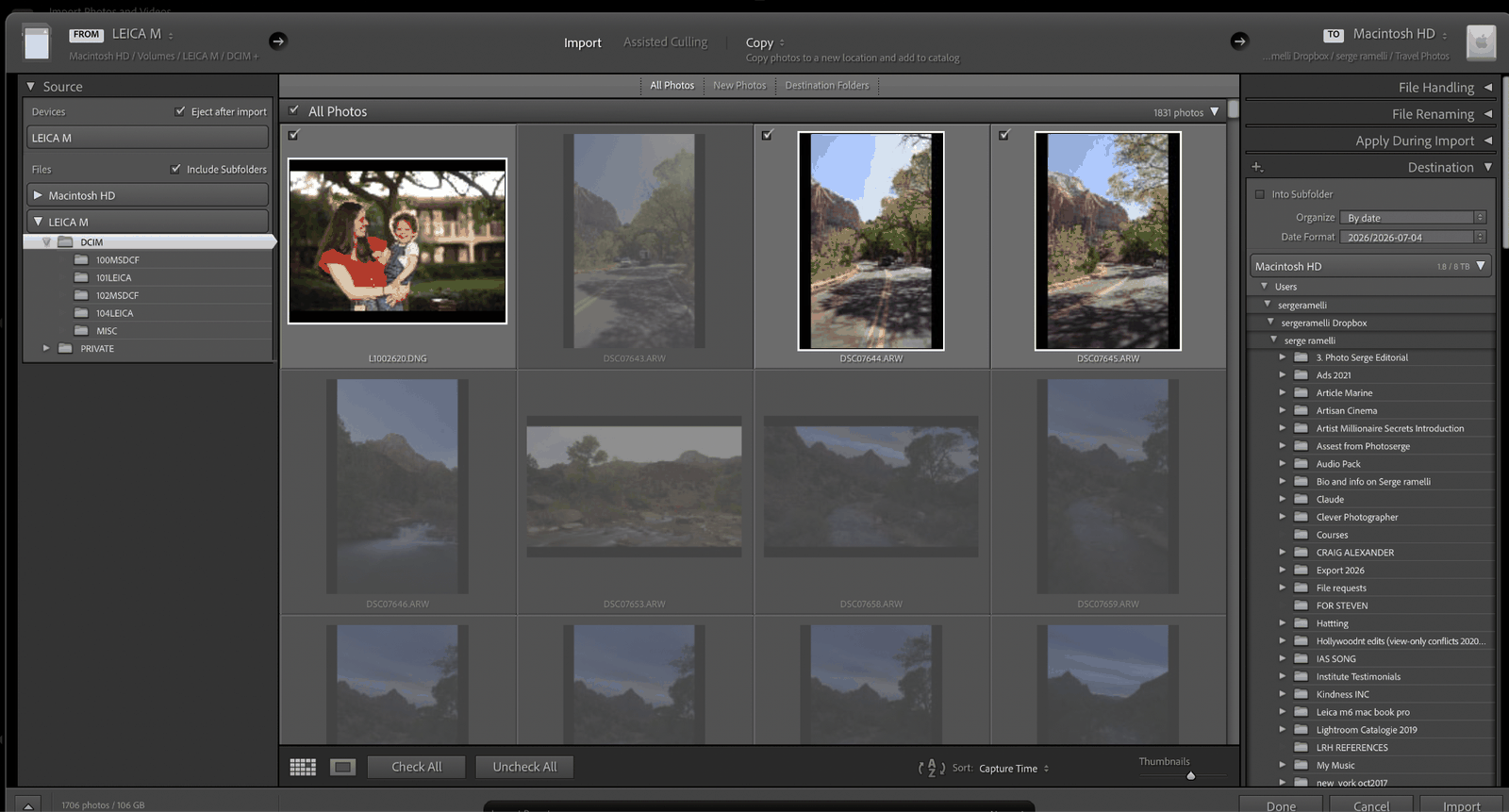 Photos are imported straight into a Dropbox folder so everything is backed up automatically.
You can see here that the folder receiving the photo is within my Dropbox folder.
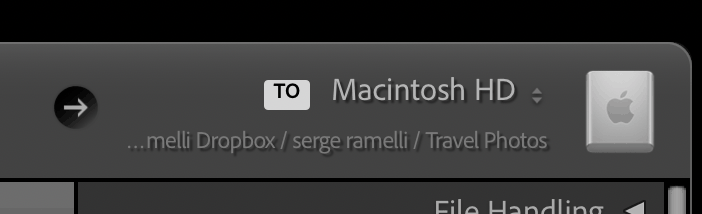 The import destination folder, set inside Dropbox.
Also, everything is imported by date so that it creates a folder for every day I took photos that year.
You can see, as a result, I've got one big folder per year and a subfolder for every day I've shot a photo.
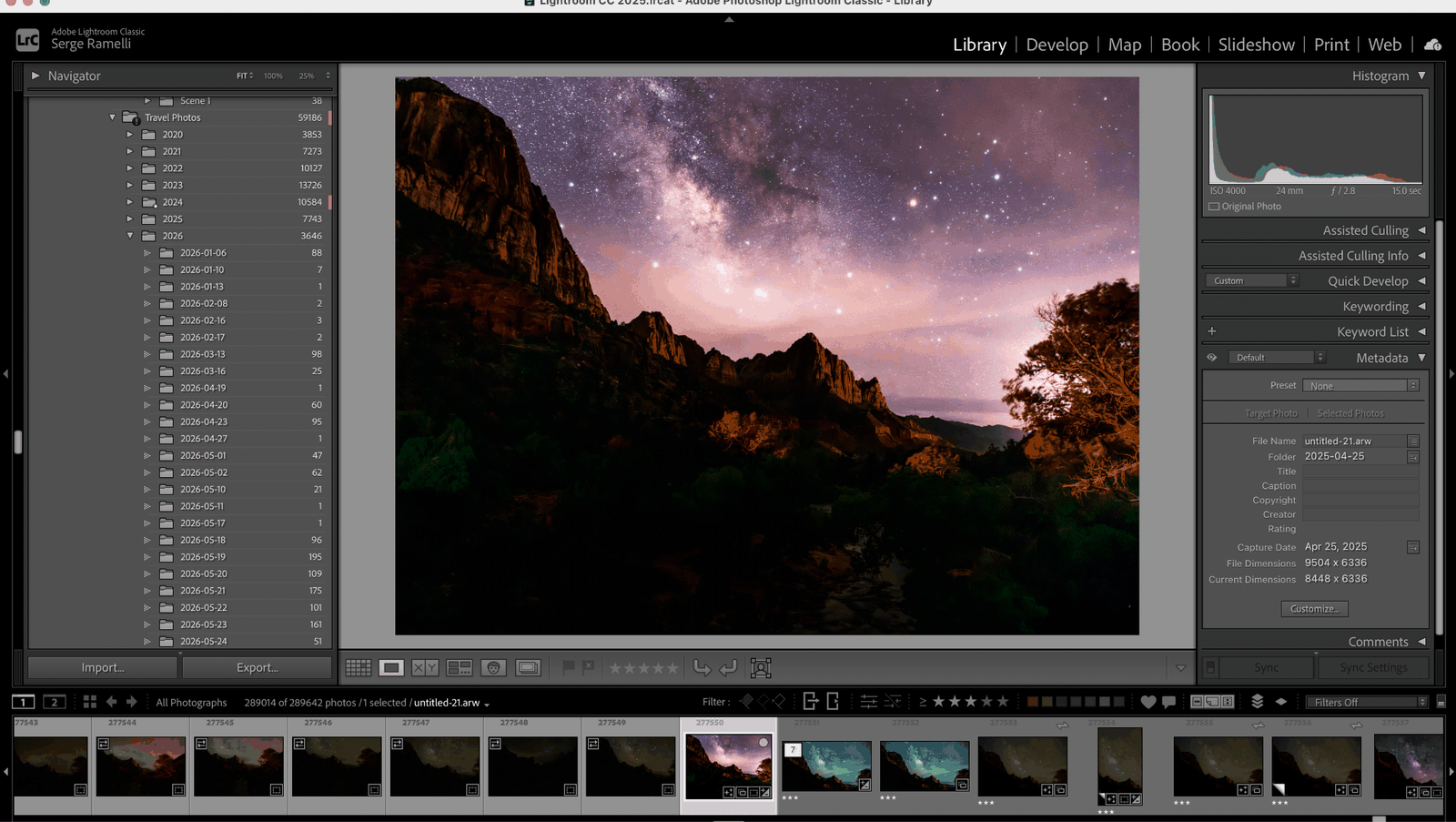 One folder per year, with a subfolder for every shooting day.
Here is a close-up of what it looks like.
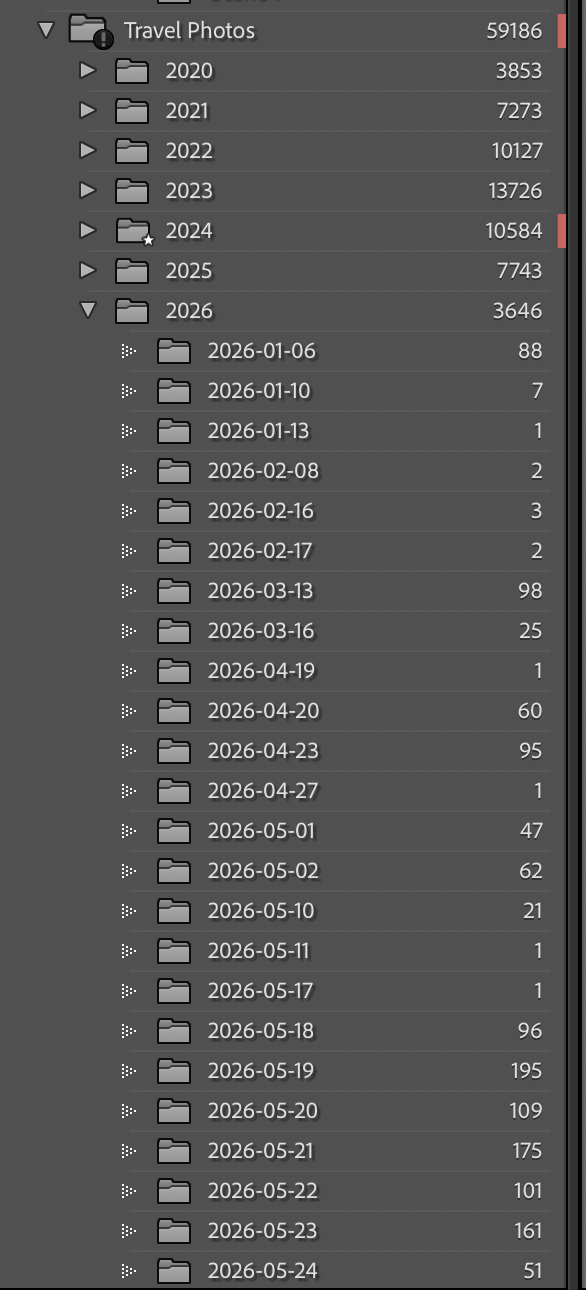
A close-up view of the day-by-day folder structure.
Step 2: Finding Your Best Photos
Now, this step is very important and is often overlooked by people. When I import my photos, the first thing that I do is I rate my photos:
- 1 star means the photo is sharp, has a nice composition, and could become something.
- 2 stars is like "wow, even in a raw state I love the photo."
- 3 stars means I have touched it.
- 4 stars means I have touched it and it should go into my collection of all-time best.
The way you do that is you just press 1, 2, 3, and 4 as you do these steps, so as the photo imports I just press 1 on anything that I see that is sharp that I kind of like. If I'm really blown away, I press 2. Once it's retouched, I press 3, and if it's really like a photo that I think will last in time, I give it a 4 star. I do that for every day that I shoot.
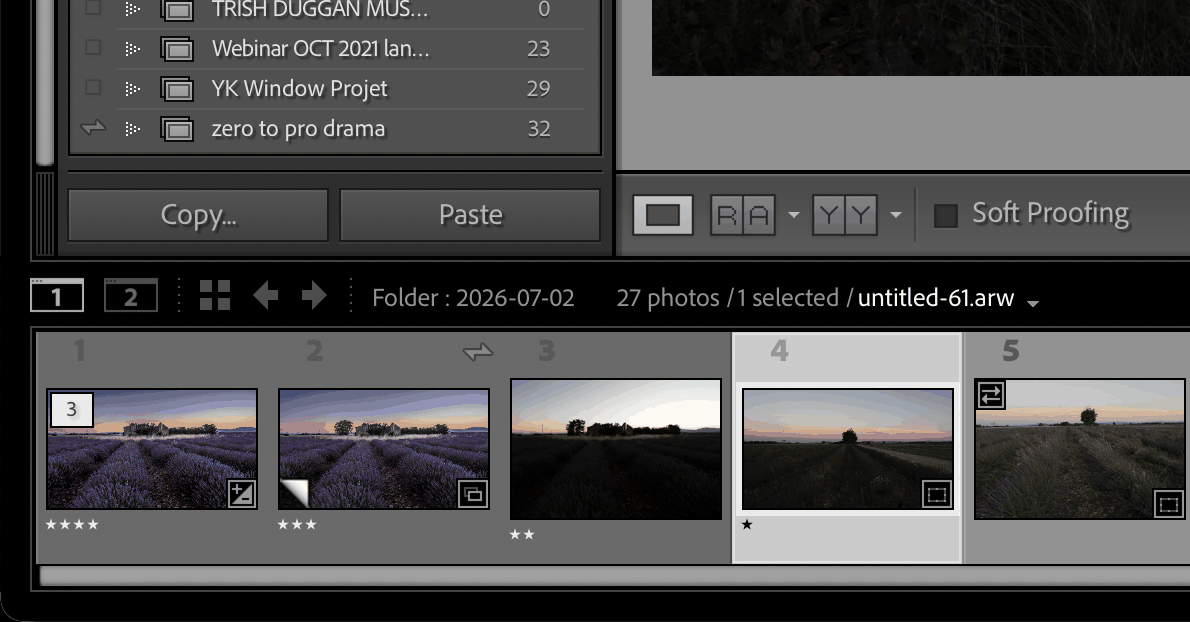 Star ratings applied directly in the Library module as photos come in.
Step 3: Create Collections
What I would advise you to do at this point is have a master collection called "Portfolio" and then sub-collections or master collections for every location or event that you do. For example:
- Best New York
- Best Paris
- Best Family Portrait
- Best Dog Photos
- Best Wildlife
In this collection, you are going to put the best photos you took in your life. These are once-in-a-lifetime photographs. These are the things you're going to put on your website and on social media to share with your friends. They are the very, very best.
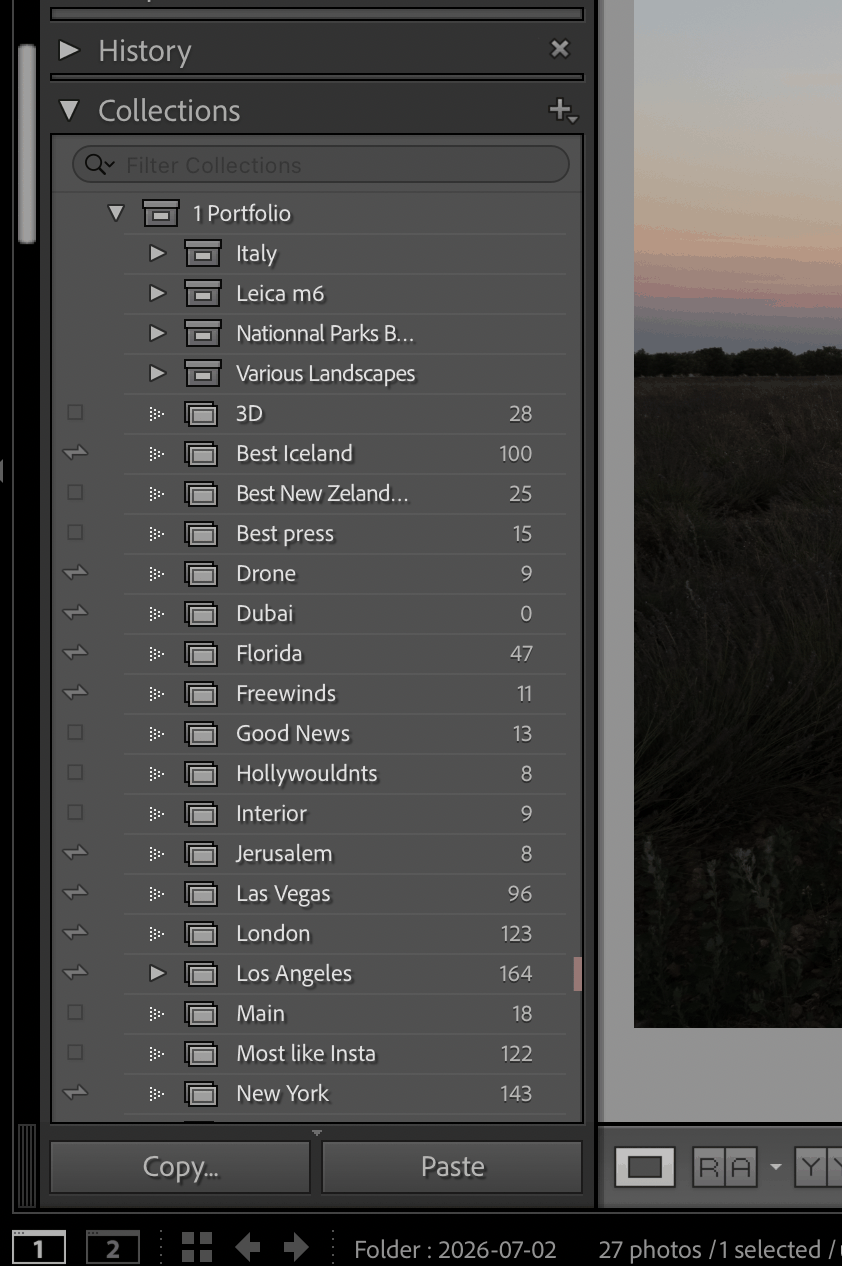 Master "Portfolio" collection with sub-collections by location and subject.
Bonus Tip
One thing that I do all the time: for example, I go to my Paris collection and I find a photo I really like, one of my favorites ever. I right-click on the photo and I say "Go to Folder in Library," and it's going to take me to that day, because there is a good chance that on that day I may have another banger. I do that when I'm looking for inspiration or more photos to retouch, but that is how I find any good photos in no time.
The other thing that I do is I just scan through the different days of the year, because I can see where I've been day by day. Or, even better, I click on the year and I filter by three stars, and I see all the three stars for that year, which did not necessarily end up in my all-time best collections but could be interesting. It's so cool to be able to just click on the year and look at all the three stars or all the four stars in a few seconds, and that's how I find any photo in less than 20 seconds.
Before that, I used to do everything by folder. For example, Venice 2017, Venice 2018, South of France 2021. Things would get cluttered. I travel so much, it would get confusing. Doing it by day, by year, and by collections completely changed the way I find photos and is 10 times more effective for me, at least.
I hope it helps you.
-Serge
Want more? Explore 10 Lightroom secrets to instantly improve your photos and the best photography locations in Paris. Love a shot? You can license my prints here.
Get my FREE Lightroom preset here: https://bit.ly/AIPresets
Serge — Photoserge | Coaching photographers who are serious about getting to the next level.
